
Nx Witness AI Analytics Integration and Technical GuideLearn how to integrate AI analytics with Nx Witness VMS using RTSP/ONVIF without changing existing cameras. Technical details for smooth implementation.
AI-powered analytics solutions are increasingly preferred with the Nx Witness / Network Optix video management system. Integration with AI platforms is possible without replacing existing IP/CCTV cameras, enabling efficient use of image processing modules.
This guide covers the integration possibilities of AI models from Hype Vision’s Hype-Model family on Nx Witness via standard connection protocols like RTSP/ONVIF, explaining architectural setup, key considerations, and step-by-step implementation.
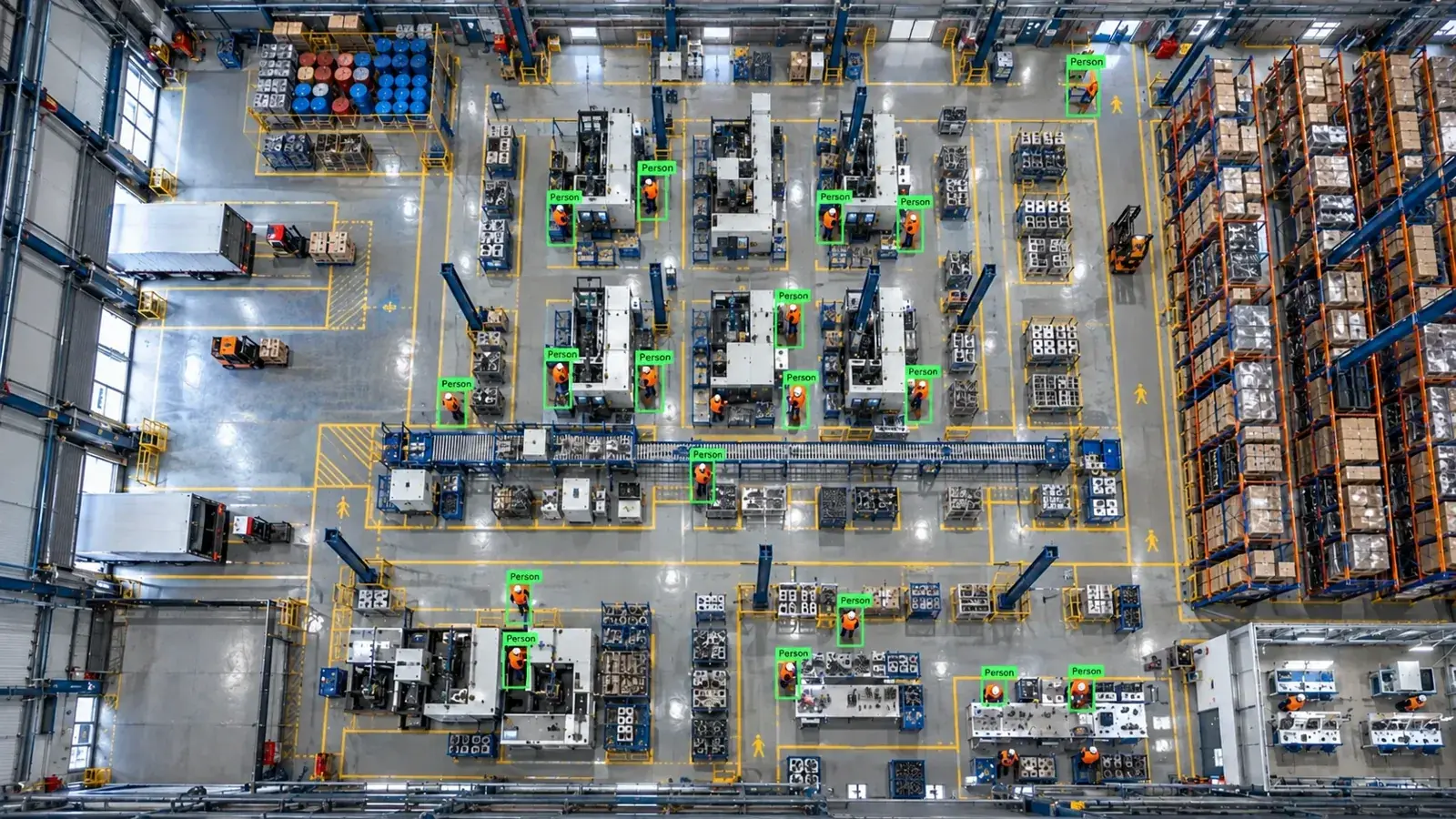
Nx Witness enables AI analytics integration via RTSP or ONVIF connections without replacing existing devices. Typically, the architecture follows camera → VMS/NVR → edge server, with installations taking 2-4 weeks.
Is AI Analytics Integration Possible Without Replacing Existing Devices?
On the Nx Witness platform, AI analytics can be performed without replacing cameras or NVR channels, utilizing standard protocols. Industrial image processing systems like Hype Vision provide brand-independent access through RTSP and ONVIF support.
This allows adding AI-based features to your existing infrastructure without installing new cameras or upgrading devices. However, factors such as camera image quality and network bandwidth usage can impact integration success.
- IP cameras with RTSP can connect directly to the AI server.
- ONVIF enables device discovery and channel access.
- Selecting sub-streams through NVR reduces bandwidth use.
Connection Methods and Technical Details
The most common approach for AI analytics integration is obtaining RTSP streams directly from cameras or via Nx Witness/NVR devices. Typical RTSP URLs follow the format: rtsp://[username]:[password]@[ip_address]:554/streamX.
ONVIF protocol supports channel access through device interfaces and simplifies configuration via device discovery. Nx Witness VMS also allows streaming live and recorded video through its internal channels.
Using sub-streams is preferred to optimize resolution and bandwidth. For analytic purposes, a medium-quality stream like 720p is usually sufficient, reducing network load.
- RTSP URLs must be accurate and up to date.
- Device and channel identification occurs using ONVIF discovery.
- Sub-stream selection lowers bandwidth and processing demands.
- Encoder choices (H.264 or H.265) affect performance.
- Firmware updates improve connection stability and compatibility.
Integration Architecture: Camera, NVR, Edge Server, and Alarm Systems
AI analytics with Nx Witness generally follows this architecture: camera video streams over IP networks to Nx Witness or NVR devices, then transfers to an edge server via RTSP/ONVIF.
On the edge server, Hype Vision’s Hype-Model family performs object detection, classification, pose/clothing tracking, OCR, and other analyses. Results trigger alarms on the Nx Witness panel, WhatsApp/SMS notifications, VMS pop-ups, or industrial controllers like PLCs/relays.
This structure is scalable according to wired or wireless network infrastructure and user permissions and is well suited for on-premise deployment.
- Camera → Video stream via Nx Witness/NVR
- Nx Witness → Edge server (AI processing unit)
- Edge server → Visual panel, ERP/MES, or alert systems
- Notifications: WhatsApp, SMS, VMS pop-up, PLC/relay
- Optional industrial cameras and lighting for quality control
Analytics Possible with Nx Witness
Hype Vision’s Hype-Model family enables various AI analyses on video streams from Nx Witness. These include personal protective equipment (PPE) detection, restricted area violation alerts, forklift counting, people and vehicle counting, and quality control applications.
OCR modules are particularly useful for on-site label and barcode reading or quality assurance processes. Pose and hand tracking functions help monitor operator movements in sensitive workflows.
- PPE (helmet, jacket, gloves) compliance checks
- Restricted area entry/exit violation alerts
- Forklift and vehicle counting for traffic analysis
- Product counting and quality control (e.g., packaging errors)
- Text and barcode recognition via OCR
- Pose/hand tracking for workplace safety monitoring
Technical Considerations for Integration
User roles and access permissions must be properly configured in Nx Witness to prevent unnecessary access to AI modules. Network bandwidth is critical for the stability of RTSP and ONVIF streams.
H.264 is the most common codec, though H.265 offers bandwidth savings at the expense of higher processor load. Regular firmware updates are important to maintain device stability and protocol compatibility.
Camera positioning and lighting conditions must be optimized to enhance the performance of AI models.
- Nx Witness user and role-based authorization management
- Adequate bandwidth for RTSP sub-streams
- Video codec compatibility and network latency
- Up-to-date camera firmware versions
- Sufficient hardware resources for AI models
- Lighting and field conditions suitable for AI
Suitability Assessment and Installation Steps for AI Analytics
Successful Nx Witness and AI analytics integration begins with analyzing camera and network infrastructure. Existing cameras’ RTSP/ONVIF support, resolution, and bandwidth are evaluated first.
Then, the edge server for AI analytics is installed and configured with proper channel routing inside Nx Witness. Model validation and testing follow. Finally, alarm and notification systems are integrated before starting the pilot phase.
The pilot phase typically lasts 2 to 4 weeks and includes performance monitoring, debugging, and parameter optimization.
- Verification of existing devices’ protocols (RTSP/ONVIF) and image quality
- Configuration of channels and user settings in Nx Witness
- Selection and installation of edge server hardware
- Testing RTSP or ONVIF connections
- Parameter tuning of AI models for target use cases
- Configuring alarm and notification channels
- Pilot operation and performance analysis
This page answers: nx witness ai analytics · nx witness artificial intelligence
Frequently asked questions
Can I perform AI analytics on my existing cameras without replacement using Nx Witness?
Yes, you can perform AI analytics on existing RTSP or ONVIF-supported IP cameras through Nx Witness without replacing them. With proper connection and network infrastructure, video streams from your devices can be routed to the AI system for analysis.
Which connection methods can I use for AI analytics with Nx Witness?
The most common and supported methods are RTSP streaming and the ONVIF protocol. Nx Witness can also forward sub-stream channels from NVRs to the AI platform, with sub-stream usage reducing bandwidth requirements.
What is the typical architecture for AI analytics with Nx Witness?
Usually, the camera stream first reaches Nx Witness or an NVR device, then transfers to the edge server where the AI model runs. Analysis results integrate with the VMS panel, alarm systems, or applications like ERP/MES.
What should I pay attention to when using AI analytics with Nx Witness?
Key considerations include managing user permissions, network bandwidth, codec compatibility (H.264/H.265), firmware updates, and video quality. Additionally, proper lighting and camera placement significantly impact model accuracy.
What is the installation process for Nx Witness and AI integration?
The process starts with reviewing the existing system and validating connections. Then the edge server is installed, AI models are configured, and alarm systems integrated. A pilot phase of around 2 to 4 weeks is conducted for testing and optimization.
What can AI detect in your factory?
Let's review together which safety, quality and production analytics your existing security cameras can deliver.
- Free 15-minute technical call
- Camera infrastructure pre-assessment
- Feasible AI scenarios